Your analytics dashboard freezes every time you filter by date range. Your fact table has duplicate records. Your business logic lives scattered across application code.
These are common symptoms of a data warehouse that skipped foundational SQL design patterns.
Investing just 5 minutes in proper table design (using primary keys, constraints, and strategic indexes) can prevent data corruption and eliminate performance bottlenecks that otherwise cost hours to fix.
In this post, I’ll break down the anatomy of a production-grade SQL table using a real example from my Yelp Analytics pipeline.
❌ The Problem: “Lazy” Table Design
Data warehouses often start with simple CREATE TABLE statements that look like CSV dumps: no primary keys, no constraints, and no indexes.
As data scales, this leads to:
- Slow aggregations: Queries scan the entire table instead of using indexes.
- Unreliable metrics: Duplicate rows silently inflate your numbers.
- Expensive maintenance: You spend time writing complex
DISTINCTqueries to clean up bad data.
✅ The Solution: A Production-Grade Table
Here is the actual DDL (Data Definition Language) for the fact_review_tip_metrics table from my Yelp project.
It tracks metrics across 150,000+ businesses with both daily and monthly granularity.
CREATE TABLE gold.fact_review_tip_metrics (
    -- 1. Composite Primary Key Columns
    business_id     VARCHAR(22)   NOT NULL,
    metric_date     DATE          NOT NULL,
    granularity     INT           NOT NULL,

    -- 2. Measures (The Data)
    total_reviews   INT           DEFAULT 0,
    total_tips      INT           DEFAULT 0,
    avg_stars       DECIMAL(3,2),

    -- 3. Constraints (Data Quality at Source)
    CONSTRAINT pk_fact_metrics
        PRIMARY KEY (business_id, metric_date, granularity),

    CONSTRAINT chk_granularity
        CHECK (granularity IN (0, 2)),

    CONSTRAINT chk_stars_range
        CHECK (avg_stars BETWEEN 1.0 AND 5.0)
);

-- 4. Strategic Indexes for Performance
CREATE INDEX idx_metrics_date_granularity
    ON gold.fact_review_tip_metrics (metric_date, granularity);

CREATE INDEX idx_metrics_business_lookup
    ON gold.fact_review_tip_metrics (business_id, metric_date DESC);
🔍 Anatomy of the Design
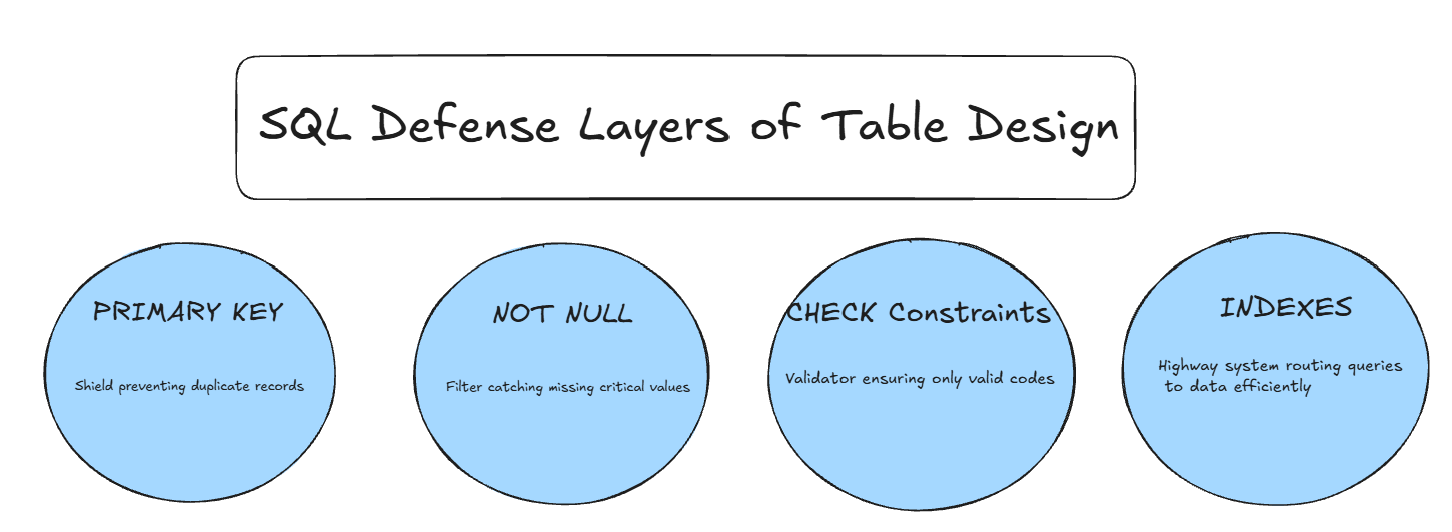
1. Composite Primary Keys
Instead of a generic id column, we use a composite key (business_id + metric_date + granularity).
- Why? It physically prevents duplicate metrics for the same business on the same day. The database rejects duplicates for you, so you never have to run a
DISTINCTquery again.
2. NOT NULL Constraints
Essential columns that define the record must always have values.
business_id,metric_date, andgranularityare allNOT NULLto ensure data integrity.
3. CHECK Constraints
We enforce business logic directly in the database.
CHECK (granularity IN (0, 2)): Ensures no one accidentally inserts “WEEKLY” or “YEARLY” data without updating the schema.CHECK (avg_stars BETWEEN 1.0 AND 5.0): Prevents bad data (like a 50-star rating) from ever entering your analytics.
4. Strategic Indexing
Indexes are not random; they should match your query patterns.
- Date Filtering: The
idx_metrics_date_granularityindex makes dashboards that filter by “Last 30 Days” lightning fast. - Business Lookup: The
idx_metrics_business_lookupindex allows the API to fetch a specific business’s history in milliseconds (<100ms), even if the table has millions of rows.
🚀 The Result
By applying these patterns, the Yelp pipeline achieved:
- Zero Duplicates: The database enforces uniqueness automatically.
- Faster Queries: Common queries dropped from 3+ seconds to under 100ms.
- Trustworthy Data: Downstream dashboards (Tableau/PowerBI) don’t need extra logic to filter out bad data.
💡 Key Takeaway
Database constraints are your first line of defense. They validate data 24/7 without application code, prevent bad data at the source, and make your data trustworthy for downstream analytics.
📚 Want to See More?
This is one table from a complete Yelp analytics pipeline that processes 8M+ reviews.
Explore the full schema design:
→ View init-schema.sql on GitHub
See the complete pipeline:
→ Yelp Batch Pipeline Repository
💬 Your Turn
Quick audit challenge:
Open your most-queried analytical table right now. Does it have:
- ✅ A primary key?
- ✅ Indexes matching your
WHEREclauses? - ✅
CHECKconstraints for enum columns?
If you answered “no” to any of these, what’s one constraint you could add today?
Drop your thoughts in my LinkedIn post comments section (see link above). I’d love to hear what patterns you’ve found most impactful.